Home / Projects / ForkScan Pro - Error Code Database for Forklifts
ForkScan Pro - Error Code Database for Forklifts
A cross-manufacturer SaaS platform for service technicians and fleets: error codes with solution steps, a fleet with inspection dates and an error log - in the browser and as native apps for iOS and Android. A joint venture with an industry expert.
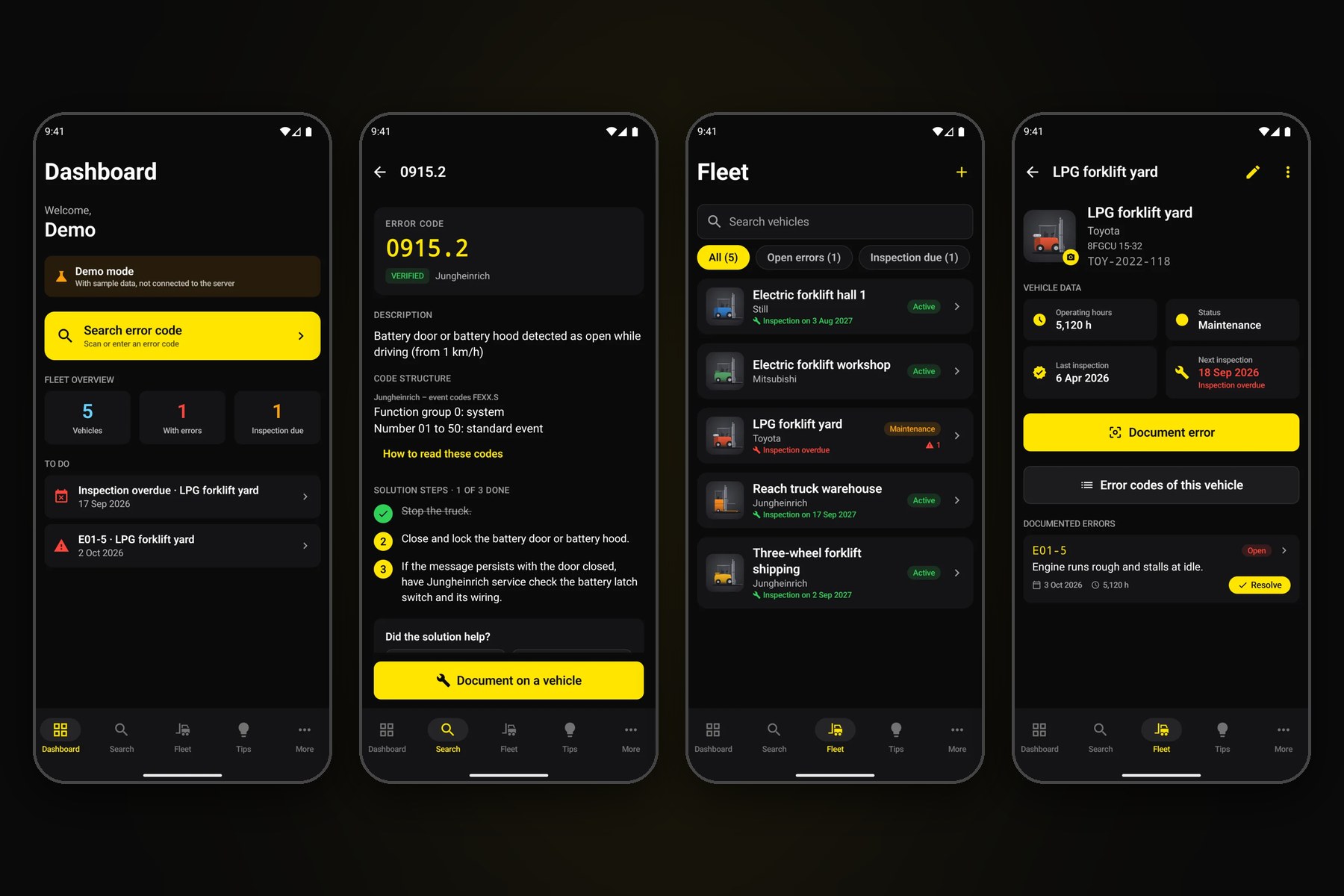
Client
Joint Venture (50/50)
Duration
ongoing since 2025
Website
forkscan.proTechnologies
rocket_launchStatus: Live in the browser, apps about to be released. The web platform runs at forkscan.pro with a three-day free trial. The native apps for iOS and Android are developed and being prepared for the stores. ForkScan Pro is a 50/50 joint venture between WebPX and an industry expert from forklift service.
Project Overview
Forklift service technicians know the situation: a truck shows an error code, the truck is down - and the answer is buried somewhere in folders, PDF manuals or with the manufacturer’s service. Every manufacturer names and explains its codes differently.
ForkScan Pro solves this with a cross-manufacturer error code database: enter the code, read the description, work through the solution steps in the recommended order - for Linde, Still, Jungheinrich, Toyota, Mitsubishi and other manufacturers. On top come a fleet with inspection dates and an error log with photos, so every truck gets a traceable history.
What makes it special: ForkScan Pro is a true joint venture. Our partner brings decades of service experience and knows the error codes and the technicians’ daily work. We bring product development, design, apps and operations - and we share the risk.
Challenges
Every manufacturer is different
Bringing error codes from different manufacturers into one format - including how a code is put together in the first place
Used at the truck
Usable in the warehouse and workshop: large touch areas, clear contrast, the code read by camera instead of typed
Without a stable connection
Fleet and documented errors must work in a hall without reception and sync later
Protecting valuable data
The error code database is the product's core asset and needs protection against unauthorised access and automated harvesting
From technician to fleet
Plans from the single technician to the large service organisation, with team accounts and billing
Solutions
Technical Solutions
Innovative Approaches for Your Success
Web Platform
Search, fleet and customer portal in the browser
Native Apps
Dedicated apps for iOS and Android
Backend
Reactive database with real-time updates
Security & Quality
Built in from the start
Platform Features
Error Codes
Cross-manufacturer
Explained consistently, only reviewed and released codes
Solution
Step by step
Numbered steps, tools and spare parts
Code Structure
Learn to read codes
How a manufacturer’s code is put together
Fleet
Fleet & inspections
Operating hours, status, a reminder before every inspection
Records
Error log
Errors with photo and notes, from open to resolved
Community
Field tips
Tips from the community, kept apart from reviewed codes
Technology Highlights
Two native apps, one behaviour
iOS app in SwiftUI, Android app in Kotlin with Jetpack Compose. Types, functions and texts are structured the same way in both apps, and the texts come from one shared source.
Code by camera
The camera reads the error code off the truck’s display. Text recognition runs right on the device - fast and without sending the image anywhere.
Offline in the hall
Trucks and documented errors can be recorded without a connection. As soon as there is one again, the app syncs everything with the account.
Made for tablets
On iPad and Android tablets the apps use side navigation, rotate with the device and keep content at a readable width.
Project Gallery
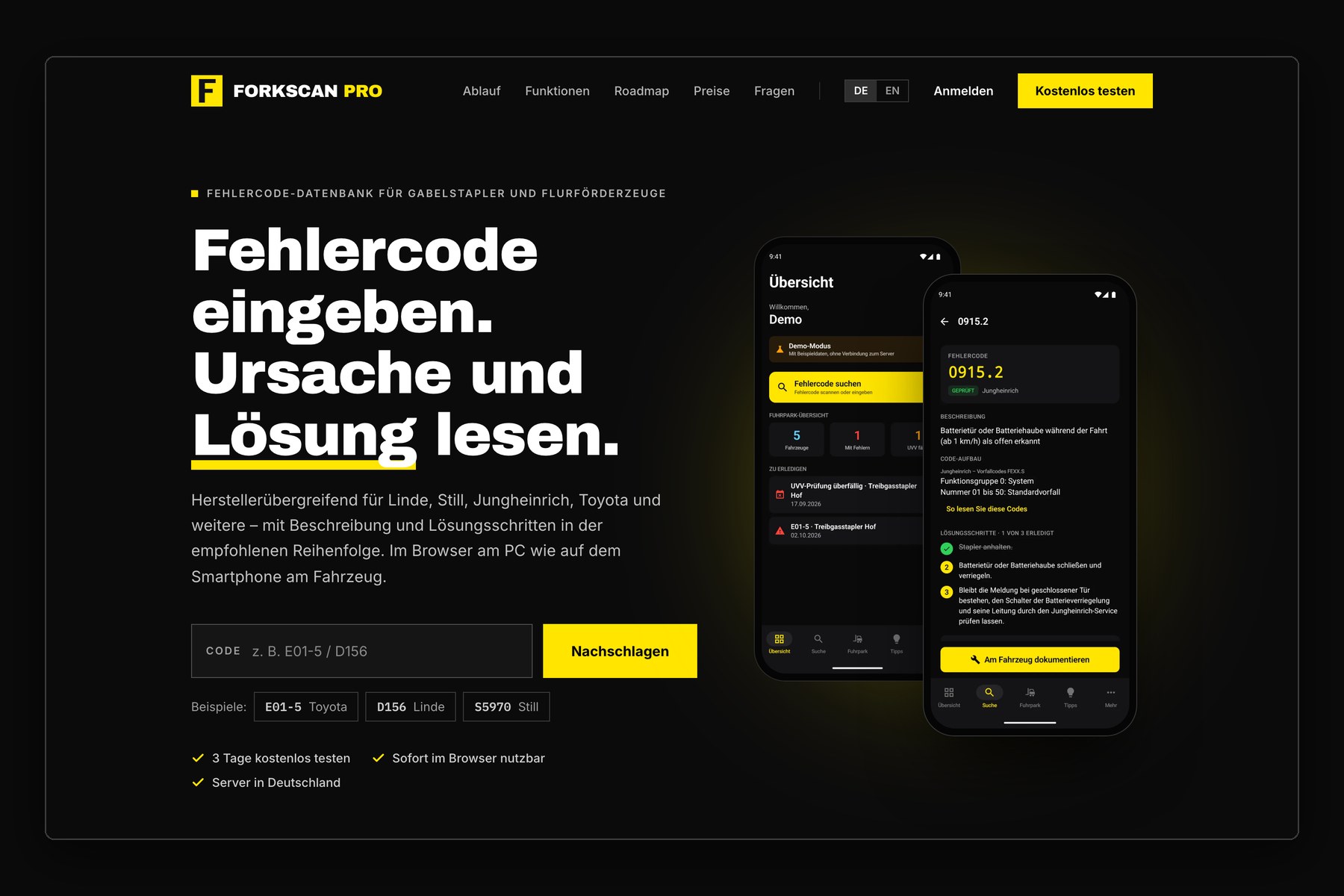
forkscan.pro: enter the error code, read cause and solution
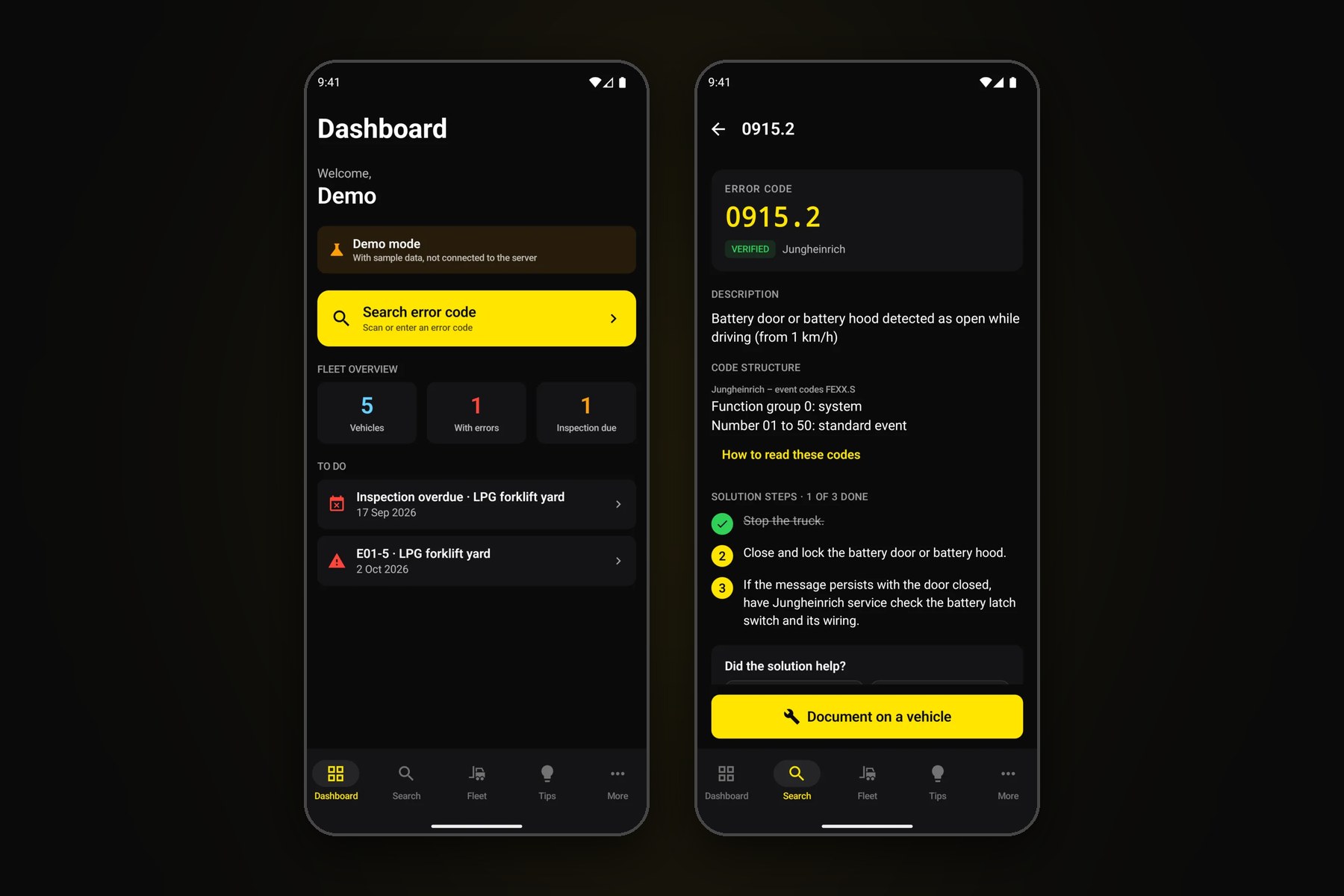
App: overview and error code with code structure and solution steps
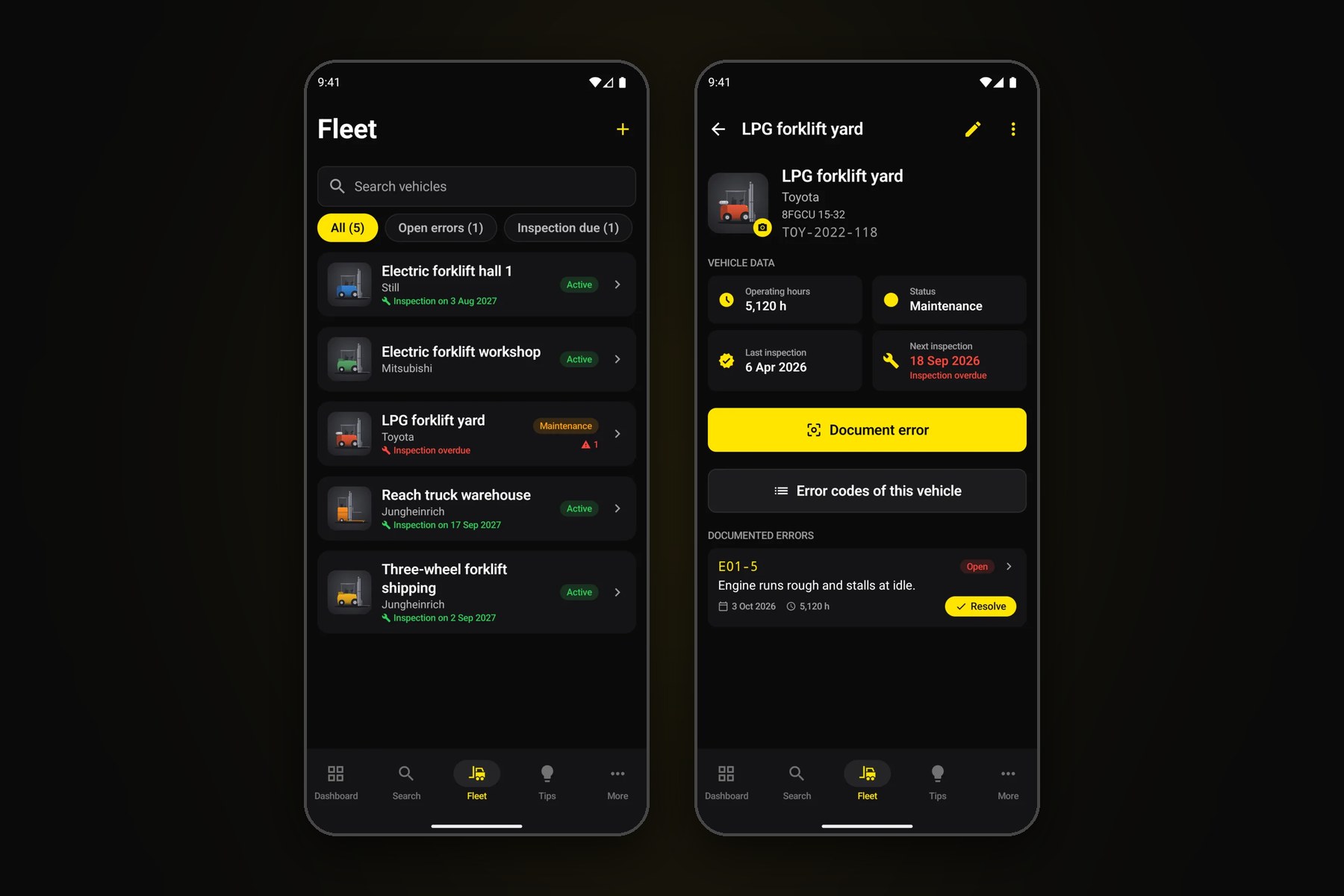
App: fleet and truck with inspection dates and error log
Why a Joint Venture?
This project shows what happens when product development meets real industry expertise. No feature was built “on spec” - every function solves a real problem our partner knows from daily work.
- • Industry knowledge: Our partner knows the error codes and the technicians’ pain points first-hand
- • Technical implementation: We bring software development, apps, design and operations
- • Shared risk: A 50/50 stake means shared commitment
- • Long-term vision: We keep developing the product together
Read more about the build in our blog article.
Interested in a Joint Venture?
You have industry knowledge and are looking for a technical partner? Let's talk.
Discuss Project